DreamFace

Language

En
    Language
  • English
  • Português
  • 简体中文
  • 繁體中文
  • 日本語
  • Español
  • Bahasa Indonesia
  • ไทย
  • Tiếng Việt
  • हिन्दी
  • Русский
  • Italiano
  • 한국어
  • मराठी
  • Nederlands
  • Norsk
  • ਪੰਜਾਬੀ
  • Polski
  • Dansk
  • Suomi
  • Français
  • Deutsch
  • Svenska
  • Kiswahili
  • తెలుగు
  • Türkçe
  • বাংলা
  • اردو
  • العربية
  • فارسی
  • Ελληνικά
Start Now
Chrome Store
4.9

Chrome Store

20,000,000+

Global Users

Apple Store
4.9

Apple Store

Trusted by Leading Institutions Worldwide

Use OpenAI Image Generation on DreamFace

step 1

Define the Design Task

Open DreamFace's image tool and choose GPT Images 2.5. Decide what you are making and gather any reference image or approved wording you want to use.

step 2

Write a Deliverable-Focused Brief

Try: "A mobile screen for a neighborhood book club. Show the current book, next meeting date, and a discussion button. Calm navy-and-cream design with generous spacing."

step 3

Review Against the Brief

Look at the result as a design proposal. Is the hierarchy clear? Does the content fit? Request a focused change using the chosen image as a reference, then download the version you want to develop.

An OpenAI Image Generator for Practical Design Tasks

Visualize an App Before Building It

Explore an interface concept as an image. For a book-club app, outline the reading list, meeting card, and navigation. Use the preview to discuss what belongs on screen before committing to detailed design or development.
Visualize an App Before Building It

Develop a Sketch Into a Scene

Use a drawing as a reference for a rendered concept. A simple shop-window sketch can become a discussion about shelving, warm wood, and evening lighting. Treat the image as an exploration of the space, not a construction specification.
Develop a Sketch Into a Scene

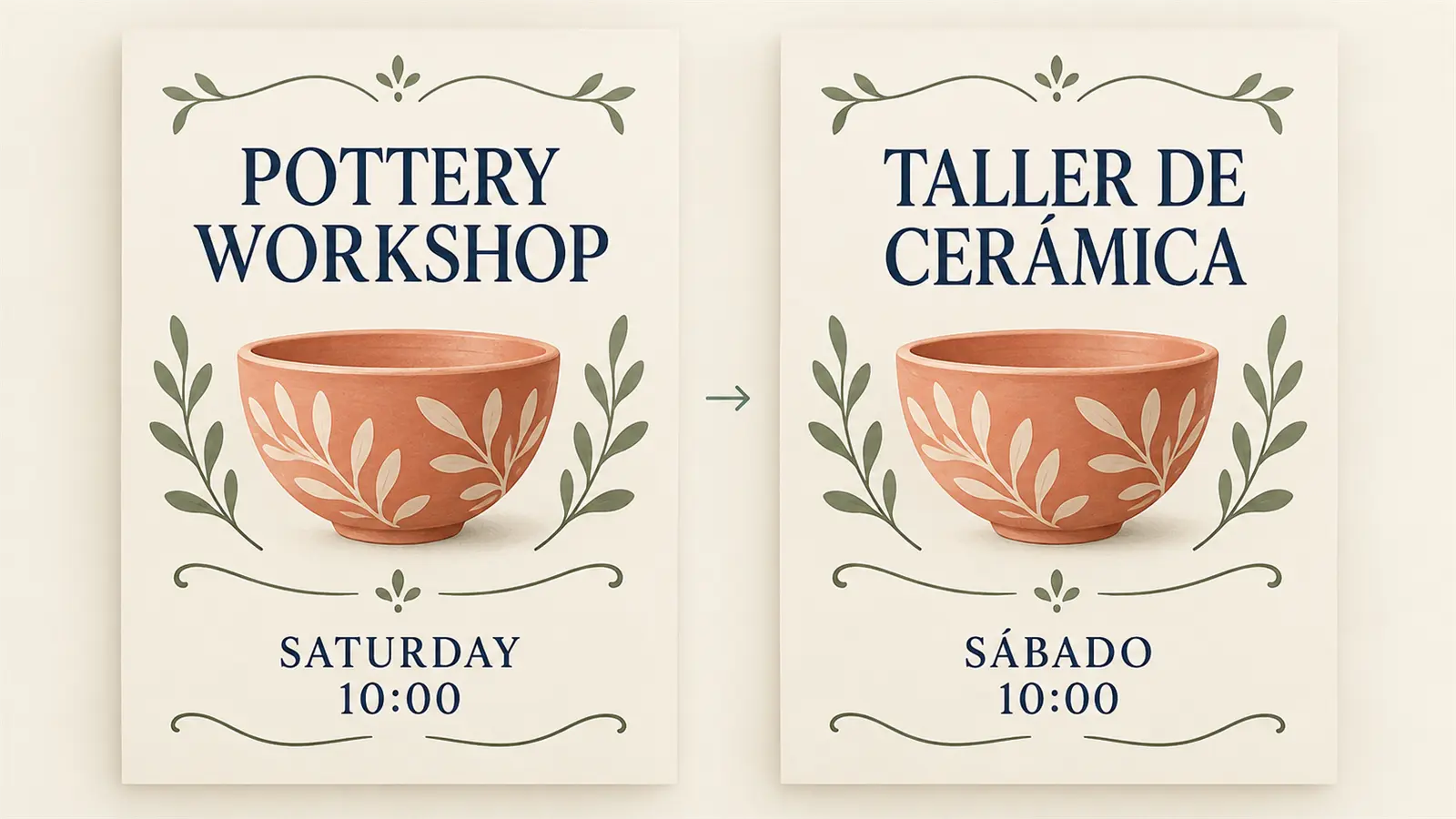
Adapt Graphics for Another Audience

Explore replacing text within an existing image while asking to retain its layout. For a workshop graphic, supply the translated heading and session details yourself. Check the new version for wording, spacing, and anything that no longer fits.
Adapt Graphics for Another Audience

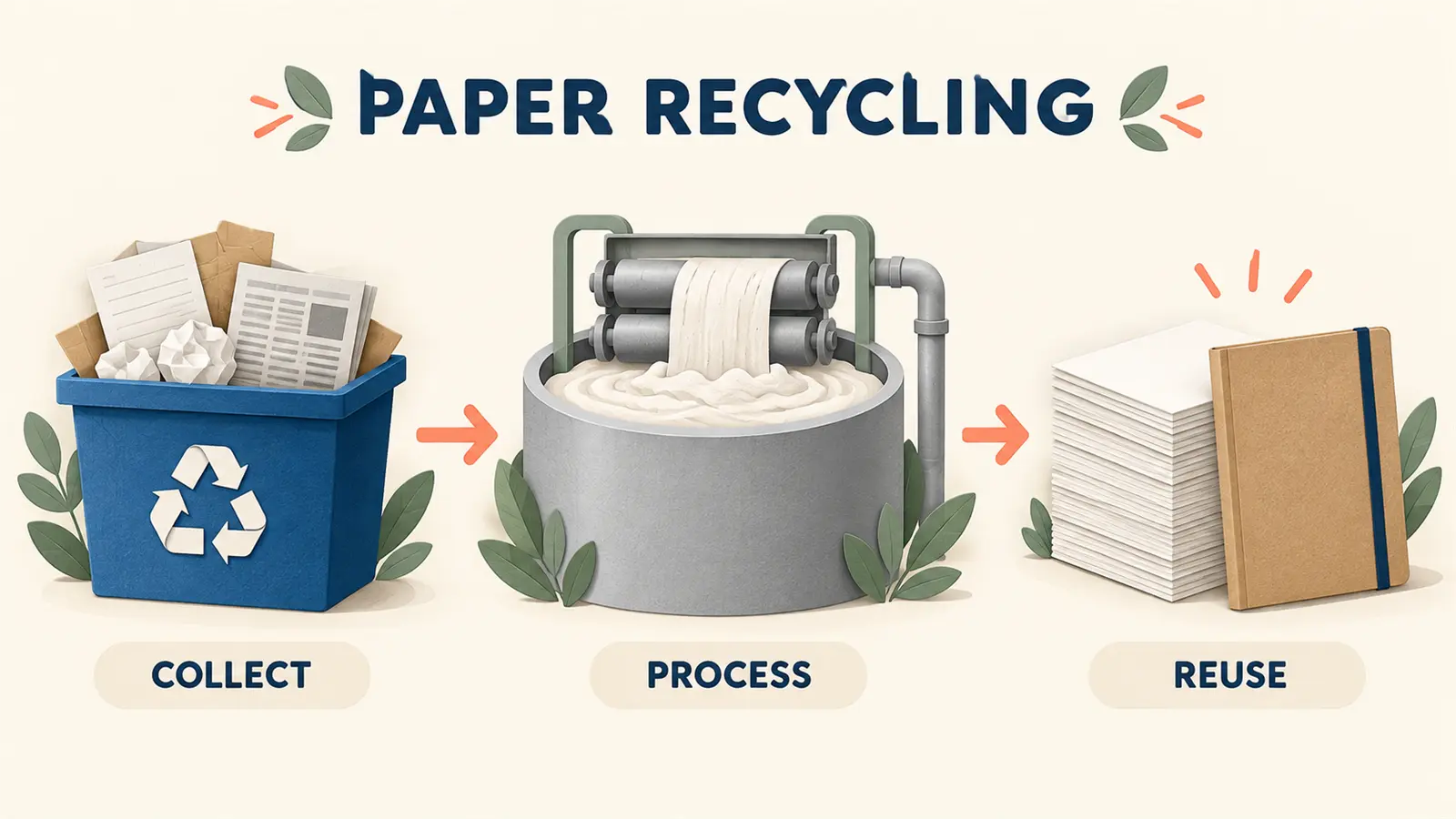
Make an Explanation Easier to Follow

Develop a visual explanation with a defined audience and purpose. A three-stage recycling diagram, for example, needs clear stages and directional arrows. Supply the facts and labels, then review the result for accuracy and readability.
Make an Explanation Easier to Follow

Frequently Asked Questions

Bring More of Your Design Intent Into the Brief

Name the Deliverable

A mobile screen, a display concept, and an instruction sheet have different jobs. Tell the generator which one you need and what the viewer should notice first.

Choose a Visual Reference

Use an image to communicate a direction that is difficult to describe. Explain whether you want to draw from its colors, materials, or overall arrangement.

Include the Content That Matters

Provide your own headings, labels, and project facts. Specific content gives you something concrete to assess when comparing a generated concept with your brief.

Keep a Human Review in the Workflow

Check names, translations, numbers, and layout before using an image publicly. A compelling concept still benefits from an editorial or design review.

More Valuable Features from Dreamface

Background Remover
Isolate a visual element when you need to place it into a separate design layout.
Photo Enhancer
Explore clearer source photos for reference-based design work.
AI Filter
Compare an alternative artistic treatment for an existing visual.
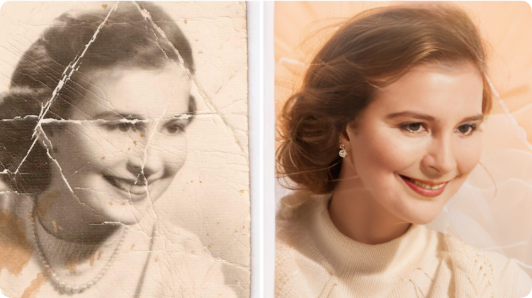
Old Photo Restoration
Prepare an older photograph for a heritage or family-history design project.

They Love Dreamface

Sample Review: A Useful Screen to Discuss

Our reading group had an app idea but no shared picture of it. A simple screen concept helped us decide that the next meeting should be more prominent than the book archive.

Sample Review: My Drawing Was Enough to Start

I drew a display stand on paper and wanted to compare finishes. The rendered idea made the difference between pale wood and painted metal much easier to discuss.

Sample Review: The Layout Gave Us a Starting Point

I tried a second-language version of a workshop graphic. A couple of lines needed adjusting, but the draft helped me see where the longer wording would cause problems.

Sample Review: More Concrete Than a Written Explanation

I needed a visual for how our volunteer check-in worked. Giving it three stages produced a draft we could mark up together instead of debating a long paragraph.

Sample Review: Helpful for Early Design Decisions

I was choosing between a dense dashboard and a quieter layout. Seeing both as concepts made it clear that the simpler option suited the project.

Sample Review: I Knew What to Ask for Next

The first result revealed that my brief was missing a priority. Once I specified the main action, the next version was much closer to what I had in mind.

Sample Review: A Useful Screen to Discuss

Our reading group had an app idea but no shared picture of it. A simple screen concept helped us decide that the next meeting should be more prominent than the book archive.

Sample Review: My Drawing Was Enough to Start

I drew a display stand on paper and wanted to compare finishes. The rendered idea made the difference between pale wood and painted metal much easier to discuss.

Sample Review: The Layout Gave Us a Starting Point

I tried a second-language version of a workshop graphic. A couple of lines needed adjusting, but the draft helped me see where the longer wording would cause problems.

Sample Review: More Concrete Than a Written Explanation

I needed a visual for how our volunteer check-in worked. Giving it three stages produced a draft we could mark up together instead of debating a long paragraph.

Sample Review: Helpful for Early Design Decisions

I was choosing between a dense dashboard and a quieter layout. Seeing both as concepts made it clear that the simpler option suited the project.

Sample Review: I Knew What to Ask for Next

The first result revealed that my brief was missing a priority. Once I specified the main action, the next version was much closer to what I had in mind.