DreamFace

En
    Language
  • English
  • Português
  • 简体中文
  • 繁體中文
  • 日本語
  • Español
  • Bahasa Indonesia
  • ไทย
  • Tiếng Việt
  • हिंदी
  • Русский
  • Italiano
  • 한국어
  • मराठी
  • Nederlands
  • Norsk
  • ਪੰਜਾਬੀ
  • Polski
  • Dansk
  • Suomi
  • Français
  • Deutsch
  • Svenska
  • Kiswahili
  • తెలుగు
  • Türkçe
  • বাংলা
  • اردو
  • العربية
  • فارسی
  • Ελληνικά
Start Now

How to Use the AI Video Watermark Remover

step1

Upload Your Video

Choose an MP4, AVI, MOV, MKV, or WEBM file under 100MB. The system automatically prepares the video for AI processing and analyzes watermark areas.

step2

AI Removes the Watermark Automatically

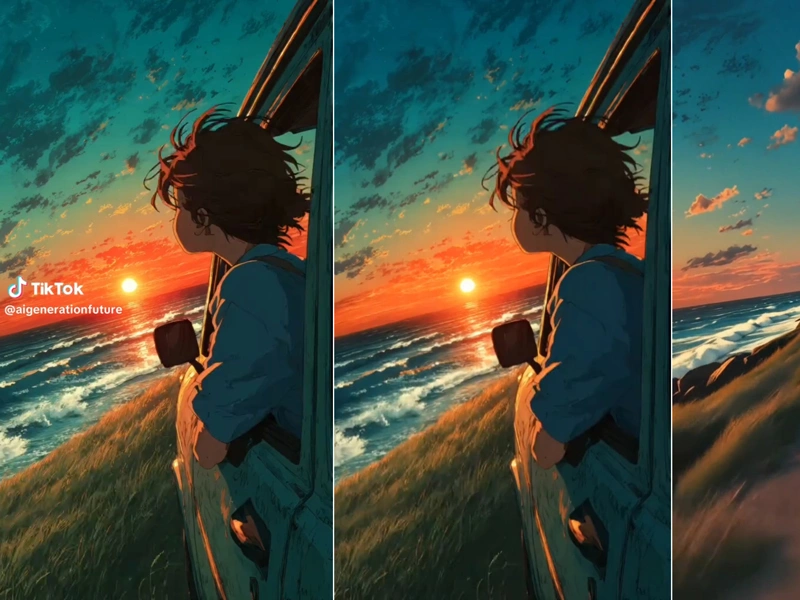
Dreamface detects all visible watermark patterns—logos, text, corner tags—and intelligently reconstructs the background using content-aware AI techniques.

step3

Download Your Clean HD Video

Within seconds, your processed video is ready. Download the watermark-free version in its original resolution (up to 1920×1080) with no noticeable quality loss.

Key Features of the AI Video Watermark Remover

Advanced AI Watermark Detection & Removal

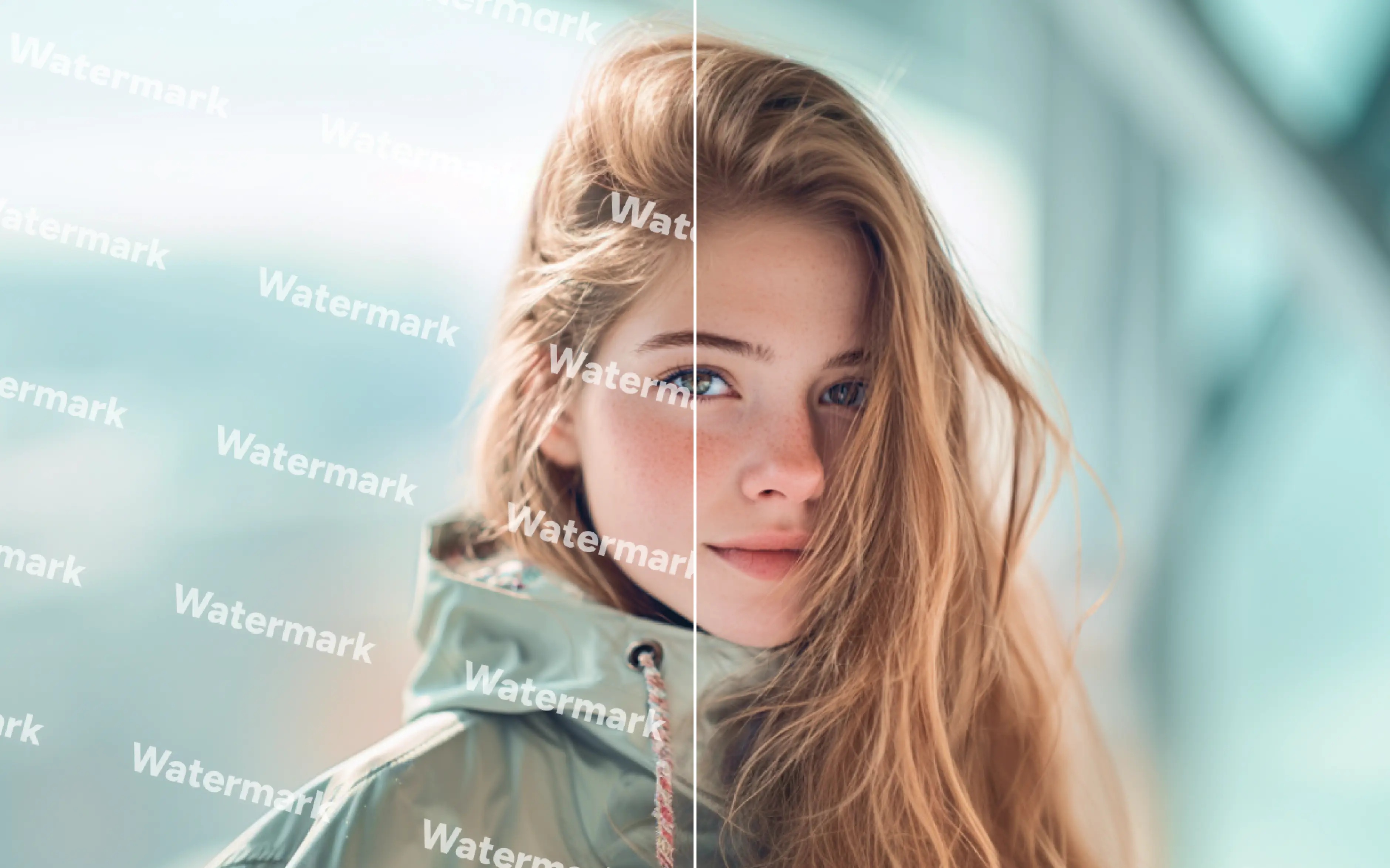
Dreamface uses next-generation computer vision to precisely identify text, logos, corner tags, and semi-transparent watermarks. Instead of simply blurring or smoothing the area, the AI reconstructs the background intelligently to keep your footage clean and natural without visible artifacts.
Advanced AI Watermark Detection & Removal

High-Quality Output With No Resolution Loss

Unlike traditional watermark removers that degrade clarity, Dreamface preserves the original resolution and detail. Whether your video is 720p or full 1080p, the output remains sharp, true to color, and free from distortion, ensuring professional-grade visual quality.
High-Quality Output With No Resolution Loss

Ultra-Fast Processing for Short Videos

Dreamface is optimized for speed. Videos under 30 seconds typically finish processing in under half a minute. The tool handles common formats including MP4, AVI, MOV, MKV, and WEBM, and supports video sizes under 100MB for quick, smooth performance on any device.
Ultra-Fast Processing for Short Videos

Completely Online & Easy to Use

No downloads, no technical steps—just upload your watermarked video and let Dreamface’s AI handle everything. The tool works directly in your browser on Windows, Mac, and mobile, making watermark removal accessible for anyone, anywhere.
Completely Online & Easy to Use

Frequently Asked Questions

Why Choose Dreamface's AI Video Watermark Remover

Ultra-Clean AI Watermark Removal

Dreamface delivers professional-grade watermark removal using advanced content-aware reconstruction. Instead of blurring or smudging, the AI rebuilds the background naturally, leaving no visible traces. Your video stays sharp, clean, and ready for publishing.

Fast Processing With No Quality Loss

Short videos are processed in seconds, thanks to Dreamface’s optimized AI engine. Even at high resolutions, the output preserves the original clarity, color, and sharpness. You get clean results without sacrificing visual fidelity.

Works Fully Online—No Software Needed

Dreamface runs directly in your browser, with zero installation or setup required. Upload your file and let the AI handle everything automatically. It’s designed for creators who want instant results with minimal effort.

Supports Multiple Formats

Whether your footage is MP4, MOV, AVI, MKV, or WEBM, Dreamface processes it seamlessly. It’s ideal for social media editors, marketers, and video creators who need fast and reliable cleanup tools. Consistent performance makes it easy to integrate into any workflow.

More Valuable Features from Dreamface

Dream Avatar 3.0 Fast

Dream Avatar 3.0 Fast

Next-gen AI avatar video with full-body motion, vivid expressions, and pet/anime/custom avatar animation.
Earth Zoom In

Earth Zoom In

Experience the viral Earth Zoom In effect with AI! Start from outer space, zoom through the Earth atmosphere.
AI Watermark Remover

AI Watermark Remover

Easily remove watermarks from your images with the Free AI Watermark Remover Online.
AI Cloning

AI Cloning

Create viral, eye-catching content with multiple Grok clones popping up in a row—magical and hilarious!

They Love Dreamface

The Fastest Watermark Remover I’ve Used

Dreamface cleaned a 20-second clip in about 25 seconds, and the results were flawless. No blur, no weird patches—just a clean video. Highly recommended!

Perfect for TikTok & Reels

I repurpose short-form content, and this tool saved me hours. It removes corner logos without damaging the footage. Super helpful for content creators.

Shockingly Good Output Quality

Other tools blurred my video, but Dreamface kept all the details intact. The AI reconstruction looks natural, like the watermark was never there.

Simple and Works on Any Device

I used it on my phone while traveling. Just uploaded a clip and downloaded the clean version. No complicated setup—super convenient.

Best Free Watermark Remover Online

The free version already does an amazing job. It’s fast, clean, and more accurate than paid apps I’ve tried before.

Supports All My Video Formats

I upload MOV files from my camera and MP4 files from my phone—Dreamface handles everything. It’s become my go-to tool for quick editing.

The Fastest Watermark Remover I’ve Used

Dreamface cleaned a 20-second clip in about 25 seconds, and the results were flawless. No blur, no weird patches—just a clean video. Highly recommended!

Perfect for TikTok & Reels

I repurpose short-form content, and this tool saved me hours. It removes corner logos without damaging the footage. Super helpful for content creators.

Shockingly Good Output Quality

Other tools blurred my video, but Dreamface kept all the details intact. The AI reconstruction looks natural, like the watermark was never there.

Simple and Works on Any Device

I used it on my phone while traveling. Just uploaded a clip and downloaded the clean version. No complicated setup—super convenient.

Best Free Watermark Remover Online

The free version already does an amazing job. It’s fast, clean, and more accurate than paid apps I’ve tried before.

Supports All My Video Formats

I upload MOV files from my camera and MP4 files from my phone—Dreamface handles everything. It’s become my go-to tool for quick editing.