
Download the DreamFace App to Create Anywhere

Download on
App Store

Download on
Google Play

Install APK on
Android
Language
English- English
- Português
- 简体中文
- 繁體中文
- 日本語
- Español
- Bahasa Indonesia
- ไทย
- Tiếng Việt
- हिन्दी
- Русский
- Italiano
- 한국어
- मराठी
- Nederlands
- Norsk
- ਪੰਜਾਬੀ
- Polski
- Dansk
- Suomi
- Français
- Deutsch
- Svenska
- Kiswahili
- తెలుగు
- Türkçe
- বাংলা
- اردو
- العربية
- فارسی
- Ελληνικά
Language
Spooky Circus
Upload Image
Click to upload an image
Try with our sample images
Sample Filter


4.9

Chrome Store

Global Users

4.9
Apple Store
Trusted by Leading Institutions Worldwide











How to Use the Spooky Circus AI Filter
step 1 Upload Your Photo
Add a clear portrait of one person through the upload area. Use a photo with the face unobstructed and minimal blur.
step 2 Generate the Circus Effect
Select Generate to apply the preset Spooky Circus scene, costume styling and atmospheric carnival backdrop.
step 3 View Your Portrait
Review the generated image and facial details. If needed, try another clear source photo for a different result.
Spooky Circus Key Features
Signature Red Balloons
A bunch of deep red balloons adds a vivid focal point against the muted sky, with trailing ribbons reinforcing the eerie carnival mood.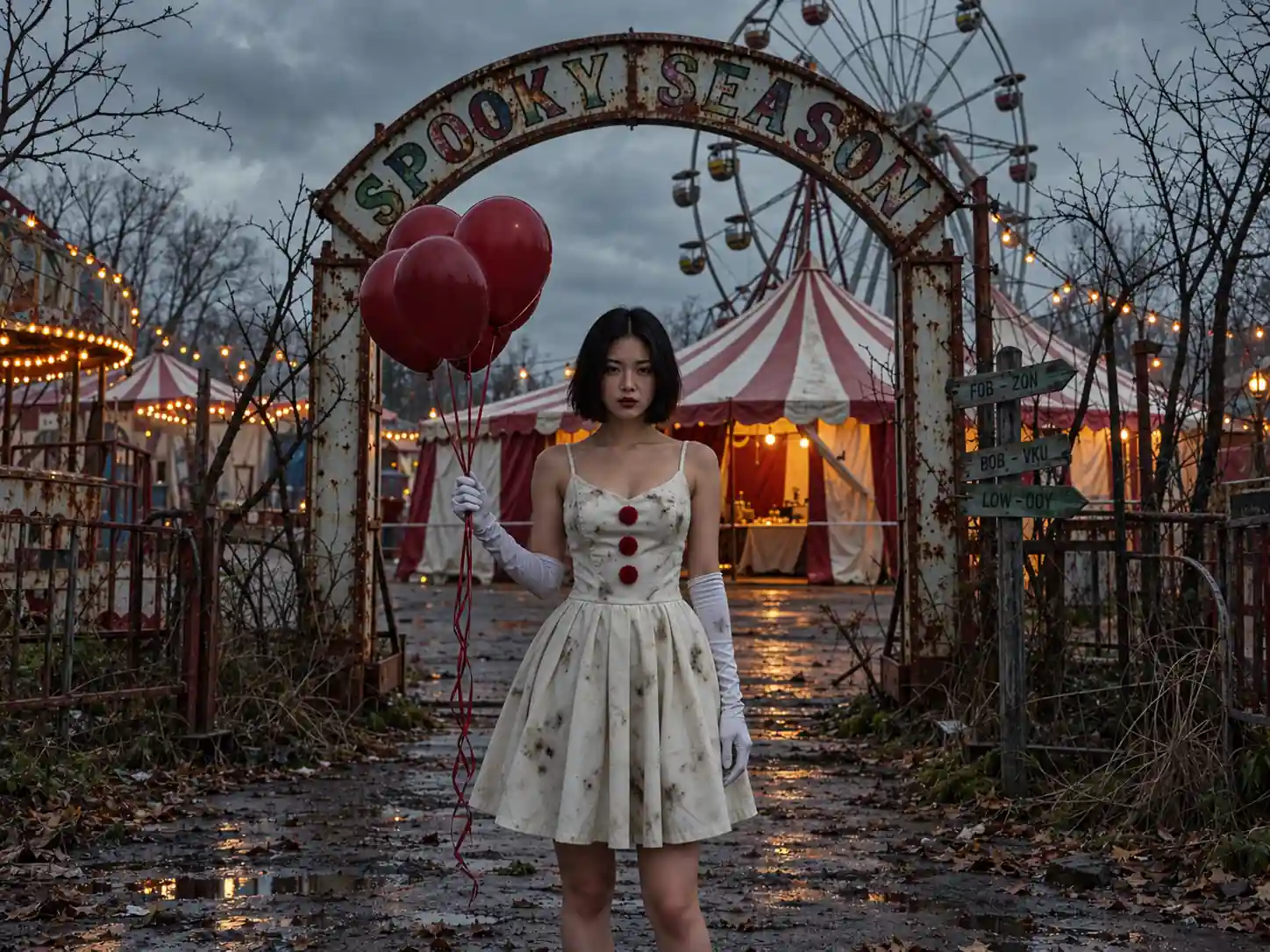
Vintage Circus Costume
A weathered ivory dress with three red pompom buttons and long white gloves gives the portrait its distinctive circus-inspired styling.
A Deserted Carnival Backdrop
A rusted Spooky Season arch, a red-and-white striped tent and a Ferris wheel frame the subject in a fairground that feels long forgotten.
Cinematic Overcast Atmosphere
Cool gray daylight, bare branches and worn surroundings contrast with the warm glow inside the tent, creating a moody Halloween portrait.
More Valuable Features from Dreamface
AI Kiss
Create AI kiss animations from photos.
AI Hug
Bring photos together in an AI-generated virtual hug.
Pet Video Animation
Turn pet photos into animated video content.
AI Video Maker
Explore AI tools for creating video content.
Frequently Asked Questions
What is the Spooky Circus AI filter?
Spooky Circus is a single Halloween portrait effect featuring red balloons, an ivory circus dress, long white gloves and an abandoned carnival setting.
What photo should I upload?
Choose a sharp photo of one person with a clearly visible face. Avoid strong facial shadows, heavy blur and objects covering the face.
Do I need to wear a circus costume?
No. The white dress, red buttons, gloves and balloons are part of the template effect, so you can use an ordinary portrait.
What appears in the background?
The reference scene includes a weathered Spooky Season entrance arch, a striped circus tent, a Ferris wheel, bare branches and an overcast sky.
Will the result preserve every detail of my face?
The filter reimagines your photo within a stylized scene. Facial features, hair and other details may change, and results can vary with the source image.
Can I change the balloons or weather separately?
This page uses the preset Spooky Circus effect. Separate controls for balloons, costume or weather are not shown in the provided interface.